IT750/IT750W/IT750W-LR User’s Manual Web
Edition
The use of surveillance devices may be
prohibited in your country by law. The IT750
(IT750W/IT750W-LR) Network Camera is not only a high-performance
web-ready camera but also can be part of a flexible surveillance system. It is
the user’s responsibility to ensure that the operation of such devices is legal
before installing this unit for its intended use.
It is important to first verify that all
contents received are complete according to the list in the "Package
Contents" chapter. Take notice of the warnings in “Quick installation
guide” before the IT750 (IT750W/IT750W-LR) Network
Camera is installed, then carefully read and follow the instructions in the
“Installation” chapter to avoid damages due to faulty assembly and
installation. This also ensures the product is used properly as intended.
The IT750
(IT750W/IT750W-LR) Network Camera is a network device and its use should
be straightforward for those who have basic network knowledge. The
“Troubleshooting” chapter in the Appendix provides remedies to the most common
errors in set up and configuration. You should consult this chapter first if
you run into a system error.
The IT750
(IT750W/IT750W-LR) Network Camera is designed for various applications
including video sharing, general security/surveillance, etc. The “How to Use”
chapter suggests ways to best utilize the IT750
(IT750W/IT750W-LR) Network Camera and ensure proper operations. For the
creative and professional developers, the "URL Commands of the IT750 (IT750W/IT750W-LR) Network Camera"
chapter serves to be a helpful reference to customize existing homepages or
integrating with the current web server.
|
For
paragraphs preceded by |
Initial Access to the Network
Camera. . . . .. . . . . .
. . . . . . . . . . . . . . . . . . . . ..
Add Password to Prevent
Unauthorized Access. . . . . . . . . .
. . . . . . . . . . . .. . . .
D. URL Commands of the Network
Camera. . . . . . . . . .
. . . . . . . . . . . . . . . . . . .
|
IT750 (IT750W,
IT750W-LR) Network Camera (Wired or
Wireless).
|
||
|
Remote Controller |
|
Software CD
|
|
Power adapter |
|
Antennas (For IT750W
and IT750W-LR Wireless Models Only) |
|
Components: |
|
Step 1: Get the
power wire through the bracket first. |
|
|
|
|
|
Step 2: Then
through out from the housing part, meanwhile insert the power cable to the
appropriate socket. (P.S. This device is suitable for AC or DC input, no
negative or positive discriminate) |
|
Step 3: Screw the
dome on the fixing bridge. |
|
|
|
|
|
Step 4: Screw on
the two side screws, and plug in the power of the dome. |
|
Step 5: Finally
cover up, and the assembling is
accomplished. |
|
|
|
|
|
Components: |
|
Step 1: Get the
power wire through the bracket first. |
|
|
|
|
|
Step 2: Then
through out from the housing part, meanwhile insert the power cable to the
appropriate socket. (P.S. This device is suitable for AC or DC input, no negative
or positive discriminate) |
|
Step 3: Screw the
dome on the fixing bridge. |
|
|
|
|
|
Step 4: Screw on
the two side screws, and plug in the power of the dome. |
|
Step 5: Finally
cover up, and the assembling is
accomplished. |
|
|
|
|
|
Components: |
|
Step 1: Get the
power wire through the bracket first. |
|
|
|
|
|
Step 2: Then
through out from the housing part, meanwhile insert the power cable to the
appropriate socket. (P.S. This device is suitable for AC or DC input, no
negative or positive
discriminate) |
|
Step 3: Pass the
cables of two antennas through the holes in the bracket and screw on the
antennas. Screw housing part into the bracket. Attention to the cables
inside! |
|
|
|
|
|
Step 4: Screw on
the two side screws, and plug in the power of the dome. |
|
Step 5: Finally
cover up, and the assembling is
accomplished. |
|
|
|
|
|
|
Please verify that your product package
contains all the accessories listed in the foregoing Package Contents. Depending of the user’s application, an
Ethernet cable may be needed. The Ethernet cable should meet the specs of UTP
Category 5 and not exceed 100 meters in length. |
|
|
Upon powering up, the device runs through a
self-test procedure and the front LEDs will blink between green and red for a
few times. If self-test passes, the LEDs will shut off and the IT750 (IT750W/IT750W-LR) Network Camera will be
on stand-by and ready for software installation. If self-test fails the red LED
will blink several times. Refer to Appendix A for troubleshooting.
The IT750
(IT750W/IT750W-LR) Network Camera will first detect Ethernet. If it does
not connect to Ethernet, the Network Camera will try WLAN. During the searching
and connecting process to the wireless access point or station, the red LED of
the Network Camera will flash every second. Until the Network Camera is
connected to the other wireless device, the red LED will become lighted.
Operating in either network mode, the green LED will flash every second as
heartbeat to indicate alive.
Make sure the Ethernet is firmly connected
to a switch hub. After attaching the Ethernet cable plug in the power adapter.
If the LED turns out to be steady green after self-test, go to next paragraph
“Software Installation”. If the Ethernet is not available, the Network Camera
will switch to wireless LAN mode.
If the Ethernet is not available while
power on, the IT750W (IT750W-LR) Network
Camera will search for any access point with the SSID “default”. Once any
access point is found, the LED will turn green to wait for installation. If the
network environment cannot meet the default settings, install Network Camera in
Ethernet to proceed with wireless LAN configuration.
The IT750
(IT750W/IT750W-LR) Network Camera provides a general I/O terminal block
with one digital input and one relay switch for device control. Pin 1 and Pin 2
can be connected to an external sensor device and the state of voltage can be
monitored from the initial state 'LOW'. The relay switches Pin 3 and Pin 4 can
be used to turn on or off an external device.
|
|
|
|
|
|
|
|
1 DI+ INPUT
(Max. 50mA, 12VDC) 2
DI- INPUT
(Initial state of DI is low) 3
SW_COMMON OUTPUT (open
from SW_OPEN at initial state) (close with SW_OPEN when set DO to ON) 4
SW_NOPEN OUTPUT (Max. 1A, 24VDC or 0.5A, 125VAC) |
In this manual, "User" refers to
whoever has access to the IT750
(IT750W/IT750W-LR) Network
Camera, and "Administrator" refers to the person who can configure
the IT750 (IT750W/IT750W-LR) Network Camera and grant user access
to the camera.
At the end of the hardware installation,
the Administrator must place the product software CD into the CD-ROM drive of
the PC running in MS Windows. An auto-run program will pop up (If the program
is not on auto-run, go to the root directory of the software CD and click on
“autorun.exe”).
Click on “Network Camera Wizard” item,
after the window contains changed, click on “Installation Wizard” to run
installation program.

Upon Installation Wizard’s start up, a
searching box will pop up. This program
searches for product on the same LAN:

After searching, Video Servers or Network
Cameras will be located by the Installation Wizard. There may be several
entries shown in the window. The Administrator may differentiate the Network
Cameras with the serial number.
For the series number in the “Serial
Number” field, please check the label on the bottom of the IT750 (IT750W/IT750W-LR) camera.

The IP addresses shown in the "Current
IP Address" field reflect those on the local network. They may be from the DHCP server. If there is no DHCP server, the camera will
try to find a free IP address (this takes from 15 second to 3 minutes,
depending on the LAN status). The method of finding IP address is seeking from
192.168.0.99, to 192.168.0.254. If any of the address inside this range is
free, the Network Camera will be assigned to this IP address, and its subnet
mask would be 255.255.255.0. If none of the addresses is free, the Network
Camera will try the range from 192.168.0.2 to 192.168.0.98. After an IP address is assigned to the camera,
the “Activity” status LED blinks.
The new UPnP function will always assign an
IP address for the IT750 (IT750W/IT750W-LR) Network
Camera. The Administrator can click on
button “Link to selected device” to
connect the I.E. to the camera.
If the camera is not on the IP installer
list, click on the “Search” button to search for the camera on the LAN.
For more detailed usage of the Installation
Wizard, please refer to the user’s manual of the Installation Wizard.
For
the initial access to the IT750
(IT750W/IT750W-LR) Network Camera in Windows, the web browser may prompt
for permission to install a new plug-in for the Network Camera after a period
of time of downloading. Permission request depends on the Internet security
settings of the user’s PC or notebook. If the highest security level is set,
the computer may prohibit any installation and execution attempt. This plug-in
has been registered for certificate and is used to display the video in the
browser. Users may click on  to proceed.
If the web browser does not allow the user to continue to install, check the
Internet security option and lower the security levels or contact your IT or
networking supervisor for help.
to proceed.
If the web browser does not allow the user to continue to install, check the
Internet security option and lower the security levels or contact your IT or
networking supervisor for help.

The
IT750 (IT750W/IT750W-LR) Network Camera
can be connected either before or immediately after software installation onto
the Local Area Network. The Administrator should complete the network settings
on the configuration page, including the correct subnet mask and IP address of
gateway and DNS. Ask your network administrator or Internet service provider
for the detail information. By default the Network Camera requires the
Administrator to run installation every time it reboots. If the network
settings are to remain unchanged, disable the Install option. Refer to “Network
settings” on the System Configuration page for details. If any setting is
entered incorrectly and cannot proceed to setting up the Network Camera,
restore the factory settings following the steps in the “Troubleshooting” chapter
of the Appendix.
The
default Administrator’s password is blank and the IT750 (IT750W/IT750W-LR) Network Camera initially will not ask for
any password. The Administrator should immediately implement a new password as
a matter of prudent security practice. Once the Administrator’s password is
saved, the Network Camera will ask for the user’s name and password before each
access. The Administrator can set up a maximum of twenty (20) user accounts.
Each user can access the IT750
(IT750W/IT750W-LR) Network Camera except to perform system
configuration. Some critical functions are exclusive for the Administrator,
such as system configuration, user administration, and software upgrades. The
user name for the Administrator is permanently assigned as “root”. Once the
password is changed, the browser will display an authentication window to ask
for the new password.
Once
the password is set, there is no provision to recover the Administrator’s
password. The only option is to restore to the original factory default
settings.
After
opening the web browser and typing in the URL of the IT750 (IT750W/IT750W-LR) Network Camera, a dialogue window pops up
to request a username and password.
The
foreground is the login window and the background shows the message if
authentication fails. The user may check the option box to save the password
for future convenience.

The main page layout has three parts:
Configuration
functions: The camera can be
configured using these user interfaces.
Camera
View: What the camera sees.
Pan/Tilt/Zoom
control buttons:
These buttons provide a command interface to control the aim of the camera.
CCD
control buttons:
These buttons provide a command interface to control the aim of the camera.

“Digital
Output”
Clicking
on the “On” or “Off” button turns the digital output to either on or off
status.
“Snapshot”
Clicking
on the “Snapshot” can get a JPEG format image of the current camera view in
another window.
“Client Settings”
Clicking
on this button links you to the client setting page, please check the following
session for more details.
“Configuration”
Only the Administrator can access camera configurations.
The
information bar down of the IT750
(IT750W/IT750W-LR) camera view shows the assigned caption and the
current date/time. The information bar at the bottom of the IT750 (IT750W/IT750W-LR) camera view shows the
current streaming mode and audio transmission mode. You can push/toggle the
talk button to talk to the remote server. The volume of speaker and microphone
can also be adjusted.

The
camera view provides not only the live video, but also a way to aim the Network
Camera to different target. Using mouse to click on the target inside the video
will command the Network Camera to aim at the target and with the mouse wheel
up or down, the camera view will zoom out or in.
The
direction buttons are for Left, Right, Up, Down, and Home functions. The Home
button centers the camera.
“Go
to” Once the Administrator
has determined the preset positions; the User can aim the camera using this
control.
“Pan
speed”
This
selection box sets the moving range of the “Left” and “Right” commands.
“Tilt
speed”
This
selection box sets the moving range of the “Up” and “Down” commands.
“Zoom speed”
This
selection box sets the moving range of the “zoom in” and “zoom out” commands.
“Focus
speed”
This
selection box sets the moving speed of the “focus near” and “focus far”
commands. The focus function is obvious when the optical zoom time is larger
than 7.
“Auto
pan”
This
button commands the camera to pan from the current position to the left-most
and then to the right-most position. After panning, the camera returns to the
original position.
“Auto
patrol”
This
button commands the camera to patrol between the preset positions on the Patrol
List, which can be modified on the “Camera control page”. After one patrol
cycle, the camera returns to the original position.
“Stop”
This stops the “Auto Pan” command or “Auto Patrol” command.
The
set of the buttons is for controlling focus, iris and zooming.

There are four settings for the client
side.
Media Options - For the User to determine whether to
receive video, audio or both.
Protocol Options – Which allows choosing on connection
protocol between client and server. There are two protocol choices to optimize
your usage – UDP and HTTP.
The UDP protocol allows for more
real-time audio and video streams. However, some packets may be lost due to
network burst traffic and images may be obscured.
The HTTP protocol must be selected
if the network is protected by a firewall which allows only HTTP Port (80) to
be opened. If there is no restriction,
UDP protocol is recommended. Generally speaking, the client’s choice will be in
the order of UDP à
HTTP. After the IT750
(IT750W/IT750W-LR) Network Camera is connected successfully, “Protocol
Options” will indicate the selected protocol. The selected protocol will be
recorded in the user's PC and will be used for the next connection. If the
network environment is changed, or the user wants to let the web browser to
detect again, manually select the UDP protocol and save, then return to HOME to
connect to the Network Camera.

Streaming
Options – For users to select the video streaming
types. Select “Streaming Video” options, the video connection will keep
alive to enable you to see smooth video, while “Single JPEG” options
will let you see the video in JPEG format by client periodic update the JPEG
image from server according to the “Frame rate” settings.
Talk
Button Control Style – For the User to determine whether to
“click once and talk” or “push to talk”.
There are a few choices the Administrator
is allowed to maximize the capabilities of the IT750
(IT750W/IT750W-LR) Network Camera. Best performance generally equates to
the fastest image refresh rate with the best video quality, and at the lowest
network bandwidth as possible. The six factors, “Size”, “Maximum frame rate”,
“Video codec type”, “Key frame interval”, “Fix bit rate”, and “Fix quality” on
the Configuration page à Video, are correlative to allow for
achieving the best performance possible.

To
achieve good real-time visual effect, the network bandwidth should be large
enough to allow a transmission rate of greater than 20 image frames per
second. If the broadband network is over
1 Mbps, set the “Fix bit rate” to 1000Kbps or 1200Kbps, or set “Fix quality” at
the highest quality. The maximum frame rate is 25 fps in a 50Hz system and 30
fps in a 60Hz system. If your network bandwidth is more than 384Kbps, you can
fix the bit rate according to your bandwidth and set the maximum frame rate to
25 fps or 30 fps. If you are shooting fast-moving images, you may want to slow
the maximum frame rate down to 20 fps in order to lower the rate of data
transmission. This allows for better video quality and the human eyes cannot
readily detect the differences between those of 20, 25, or 30 frames per
second. If your network bandwidth is below 384 Kbps, set the “Fix bit rate”
according to your bandwidth and try to get the best performance by fine-tuning
with the “Maximum frame rate”. In a slow network, greater frame rate results in
blur images. Another work-around is to choose “Half” in the “Size” option for
better images, or “Halfx2” for a larger image view. Video quality performance
will vary somewhat due to the number of users viewing on the network; even when
the parameters have initially been finely tuned. Performance will also suffer
due to poor connectivity because of the network’s burst constraint.
In
multi-user environment, the user who has poor network performance will receive
only the key frame in MPEG4 format. Try to reduce the key frame interval can
improve the frame rate for poor network performance, but the penalty is the increasing
of network traffic. If the server is running on the Internet, select the
“improve efficiency in the multi-user environment” will improve the efficiency
in the multi-user environment.
To
have the best video quality, you should set “Fix quality” at “Detailed” or
“Excellent” and adjust the “Maximum frame rate” to match your network’s
bandwidth. If your network is slow and you receive “broken” pictures, go to the
HTTP protocol in “Connection type” and choose a more appropriate mode of
transmission. The images may suffer a time delay due to a slower connection.
If
you have a broadband network, set “Fix quality” at ”Normal” or better, rather
than setting “Fix bit rate”. You can also fix the bandwidth according to your
actual network speed and adjust the frame rate. Start from 30 fps down for best
results but not below 15 fps. If the image qualities are not improved, select a
lower bandwidth setting.
The
IT750 (IT750W/IT750W-LR) Network Camera
with Pan/Tilt/Zoom is a camera with dual video codec, they’re MPEG4 and MJPEG.
If MJPEG is selected, the camera will transmit video data in JPEG format.
Therefore, it requires higher bandwidth to view smooth video. General speaking,
each normal sized JPEG image would be 3k~12k bytes, depending on the selected
video quality and contents. Together with the frame rate selected, the
administrator can control the bandwidth of each connection.

The IT750
(IT750W/IT750W-LR) Network Camera is shipped without any password by
default. That means everyone can access the Network Camera including the
configuration as long as the IP address is known. It is necessary to assign a
password if the Network Camera is intended to be accessed by others. Type a new
word twice in the first field to enable protection. This password is used to
identify the administrator. Then add an account with user name and password for
your friends in the second field. The IT750
(IT750W/IT750W-LR) Network Camera can provide twenty accounts for your
valuable customers or friends. Each account identifies the access right rather
than the real visitor. That allows multiple visitors share the same account of
different level. Each account has four kinds of privileges, which can be set
individually. The “I/O access” privilege permits the user to access
DI/DO of the server. The “Camera Control” privilege allows different
control to pan/tilt functions of the Network Camera. The “Talk”
privilege permits the user to send speech to the IT750 (IT750W/IT750W-LR) Network Camera. The “Listen”
privilege permits the user to listen sounds from the server. You may edit or
delete some users from the third field.
If you want to have a guest account for
viewers only, you just need to add a user without password and disable all the
privileges. Share the account to your friends to access your camera.
The IT750
(IT750W/IT750W-LR) Network Camera can allow ten visitors on-line
simultaneously. After Installation, focus the Network Camera on any object you
wish to share, and tell the visitors to type in the web browser address. Caution:
You may want to maintain your visitor’s list in the security configuration page
to block out unexpected visitors.
If the number of visitors has exceeded the
limit, the IT750 (IT750W/IT750W-LR) Network
Camera can allow the "overload" viewers to see the snapshots in JPEG
mode, on the homepage. These are still images and will be refreshed
periodically and automatically.

1. Click on “Client Settings” on the
homepage,
2. Select “Single JPEG” in “Streaming
Options”,
3. Set the snapshot interval to refresh the
still image automatically. The longer the snapshot interval, the better the
snapshot mode works for multiple viewers.
If you want to expand to allow in more
viewers, the host server should be able to handle large network traffic, which
must handle the picture refreshing from the IT750
(IT750W/IT750W-LR) Network Camera.
Set the Network Camera up as an FTP client
to upload the pictures. The access to the IT750
(IT750W/IT750W-LR)Network Camera will be independent of the number of
viewers and the picture quality will remain constant.

1. Click on “Configuration” on the
homepage,
2. Click on “Mail & FTP” in the left
column,
3. Fill in the FTP related settings
including server, server port, user name and password, as well as the upload
path if it is specified by the web space,
4. Click on “Save”,
5. Click on “Application” in the left
column,
6. Select the day or days of the week in
“Weekly schedule” you want to upload the pictures,
7. Select “Sequential operation” and set
the interval,
8. Unselect “FTP put snapshots with date
and time suffix” as the upload method and click on “Save”,
9. The image file uploaded to the web space
is named “video.jpg”. Check if the file is successfully uploaded to the correct
folder,
10. Prepare a homepage with the embedded
image reference to the image file uploaded via FTP in advance.
An auto-refresh homepage can be used to
periodically poll the newest image from the IT750
(IT750W/IT750W-LR) Network Camera. It is most efficient if using a free
web space provider as the FTP service may be limiting.
1. Prepare an auto-refresh homepage as the
following example. The URL of image is http://<IP address of the Network
Camera>/cgi-bin/video.jpg. Modify the IP address according to your IT750 (IT750W/IT750W-LR) Network Camera. Define
the refresh interval according to your network bandwidth for best result. If
the refresh rate is too fast and there is a large number of visitors, this may
overload the IT750 (IT750W/IT750W-LR) Network
Camera and slows the response.
Example
of an auto-refresh web page:
<html> <head> <title>IT750/IT750W/750W-LR
Intellisystem Technologies - Example - auto refresh</title> </head> <body> <p align=left>
<font size="7" face="Comic Sans MS"
color="#FF0000">
MiniAVServer Demo
</font> </p> <p align=left> <!-- Begin of scripts to auto
refresh the image. Change the IP address in the image URL and refreshrate
if necessary. //--> <script language=javascript> var
image="http://192.168.0.99/cgi-bin/video.jpg"; //IMAGE URL var refreshrate=5; //SECONDS BETWEEN REFRESH var imgwidth=352; //IMAGE WIDTH var imgheight=240; //IMAGE HEIGHT function refresh(){ document.images["pic"].src=image+"?"+new
Date(); setTimeout('refresh()',
refreshrate*1000);} document.write('<img
src="'+image+'" height="'+imgheight+'"
width="'+imgwidth+'" name="pic">'); if(document.images)window.onload=refresh; </script> <!-- End of scripts to auto refresh
the image. //--> </p> </body> </html>
The
Administrator can combine options on the application page to perform many
useful security applications. There are two trigger sources coming from
attached devices, such as for motion detection. There are also two kinds of
actions responding to such events, including uploading snapshots over the
Internet and driving other attached devices. To upload the snapshots, the User
can choose either email or FTP according to user’s needs. Both e-mail and FTP
use the network settings on the Mail & FTP page. Refer to the definition
section for detail configuration.

1. Click on “Configuration” on the homepage,
2. Click on “Application” in the left column,
3. Check the weekdays as you need and give the period
of "Snapshots begin" time and "Snapshots end" time to
monitor the triggering conditions every day,
4. Check the “Event operation”. The triggering
condition can be set to detected motion or status of the attached device,
5. Set the delay before detecting next event to avoid
continuous false alarms following the original event,
If
no external sensor is available, the Administrator can use the built-in motion
detection to monitor any movement and send snapshots via emails for security
check.
6.
Click on “Motion detection” in the left column,
7.
Check “Enable motion detection”,
8.
Click on “New” to have a new window to monitor video,
9.
Type in a name to identify the new window,
10.
Use the mouse to click, hold, and drag the window corner to resize or the title
bar to move,
11.
Fine-tune using the “Sensitivity” and “Percentage” fields to best suit the camera’s environment.
Higher ”Sensitivity” detects the slighter motion. Higher “Percentage”
discriminates smaller objects,

12.
Clicking on “Save” enables the activity display. Green means the motion in the
window is under the watermark set by the Administrator and red means it is over
the watermark,
13.
Click on “Application” in the left column,
14.
Check on the window name set in step 9,
15.
Check “Upload snapshots while motion detected”, if e-mailing the snapshots is
preferred,
16.
Check “Send snapshots by email”,
17.
Click on “Save” to validate.
Only the Administrator can access system
configuration. Each category in the left column will be explained in the
following pages. The bold texts are the specific phrases on the Option pages.
The Administrator may type the URL below the figure to directly enter the frame
page of configuration. If the Administrator also wants to set certain options
through the URL, read the reference appendix for details.

<url>http://<NetworkCamera>/setup/config.html
<NetworkCamera> is the domain name or
original IP address of the IT750
(IT750W/IT750W-LR) Network
Camera.
<url>http://<NetworkCamera>/setup/system.vspx
<NetworkCamera> is the domain name or
original IP address of the IT750
(IT750W/IT750W-LR) Network Camera.
"Host name" The text displays the title at the top of
the main page.
“Turn off the LED indicator” Check this option to shut off the LED on
the rear. It can prevent the camera’s operation being noticed.
“Automatically restore DO state” The IT750
(IT750W/IT750W-LR) Network Camera will set the DO on when events
happened, if the administrator configures it properly in the Application
page. Check this option will restore the DO state to off after specified
seconds.
"Keep current date and time" Click on this to reserve the current date
and time of the IT750 (IT750W/IT750W-LR) Network
Camera. An internal real-time clock maintains the date and time even when the
power of the system is turned off.
"Sync with computer time" Synchronize the date and time of the IT750 (IT750W/IT750W-LR) Network Camera with
the local computer. The read-only date and time of PC is displayed as updated.
“Manual” Adjust the date and time according to what is entered
by the Administrator. Notice the format in the related fields while doing the
entry.
“Automatic” Synchronize with the NTP server over the Internet
whenever the IT750 (IT750W/IT750W-LR) Network
Camera starts up. It will fail if the assigned time-server cannot be reached.
“NTP server” Assign the IP address or domain name of the
time-server. Leaving the text box blank connects the IT750 (IT750W/IT750W-LR)Network Camera to the default time-servers.
"Time zone" Adjust the time with that of the
time-servers for local settings.
“Update interval” Select hourly,
daily, weekly, or monthly update with the time on the NTP server.
Remember to click on  to
immediately validate the changes. Otherwise, the correct time will not be
synchronized.
to
immediately validate the changes. Otherwise, the correct time will not be
synchronized.
“Root password” Change the Administrator’s password by
typing in the new password identically in both text boxes. The typed entries
will be displayed as asterisks for security purposes. After pressed  , the web browser will ask the
Administrator for the new password for access.
, the web browser will ask the
Administrator for the new password for access.
“Add user” Type the new user's name and password and press  to
insert the new entry. The new user will be displayed in the user name list.
There is a maximum of twenty user accounts. Each user can have four privileges
– “I/O access”, “Camera Control”, “Talk” and “Listen”.
to
insert the new entry. The new user will be displayed in the user name list.
There is a maximum of twenty user accounts. Each user can have four privileges
– “I/O access”, “Camera Control”, “Talk” and “Listen”.
“I/O access” allows user to control the DO and get status of the
DI.
“Camera control” allows user to aim the Network Camera to
different targets.
“Talk” allows user to talk to the server.

“Listen” allows user to listen from the server.
“Delete user” Pull down the user list to find the user’s name and
press  to
complete.
to
complete.
“Edit user” Pull down the user list to find the user’s name and
press  to
edit the user’s password and privilege.
to
edit the user’s password and privilege.
<url>http://< NetworkCamera>/setup/security.vspx
< NetworkCamera> is the domain name
or original IP address of the IT750
(IT750W/IT750W-LR) Network Camera.
Type the new password, change the privilege
and press to
modify the account.

<url>http://< NetworkCamera>/setup/edituser.vspx
<NetworkCamera>is the domain name or
original IP address of the IT750
(IT750W/IT750W-LR) Network Camera.
Any changes made on this page will need to
restart the system in order to validate the changes. Make sure every field is
entered correctly before clicking on  .
.
"Get IP address automatically"
& “Use fixed IP address”
The default status is “Get IP address
automatically”. This can be tedious having to perform software installation
whenever the IT750 (IT750W/IT750W-LR) Network
Camera starts. Therefore, once the network settings, especially the IP address,
have been entered correctly, select “Use fixed IP address” then the IT750 (IT750W/IT750W-LR) Network Camera will
skip installation at the next boot. The Network Camera can automatically
restart and operate normally after a power outage. Users can run IP
installer to check the IP address assigned to the IT750 (IT750W/IT750W-LR) Network Camera if the IP address is
forgotten or using the UPnP function provided by the Network Camera (MS Windows
XP provides UPnP function at My Network Place). As for how to get IP
address automatically, please refer to the section of Software Installation.
“IP address” This is necessary for network identification.
“Subnet mask” It is used to determine if the destination is in the
same subnet. The default value is “255.255.255.0”.
“Default router” This is the gateway used to forward frames
to destinations in different subnet. Invalid router setting will fail the
transmission to destinations in different subnet.
“Primary DNS” The primary domain name server that translates
hostnames into IP addresses.
“Secondary DNS” The secondary domain name server that
backups the Primary DNS.
“HTTP port” This can be other than the default Port 80. Once the
port is changed, the User must be notified the change for the connection to be
successful. For instance, when the Administrator changes the HTTP port of the
Network Camera whose IP address is 192.168.0.100 from 80 to 8080, the User must
type in the web browser “http://192.168.0.100:8080” instead of
“http://192.168.0.100”.
“UDP Audio channel port” This can be something other than the
default port 5002 in order to work with the port opened by the firewall.
“UDP Video channel port” This can be something other than the
default port 5003 in order to work with the port opened by the firewall.

<url>http://< NetworkCamera >/setup/network.vspx
< NetworkCamera > is the domain name
or original IP address of the IT750
(IT750W/IT750W-LR) Network Camera.
“SSID” (Service Set Identifier), it is a name that identifies
a wireless network. Access Points and wireless clients attempting to connect to
a specific WLAN (Wireless Local Area Network) must use the same SSID. The
default setting is default. Note: The maximum length of SSID
is 32 single-byte characters and SSID can’t be any of “, <, > and space
character.
“Wireless mode” Clicking on the pull-down menu to select from the
following options:
“Infrastructure” Make the IT750W
(IT750W-LR) Network Camera connect to the WLAN via an Access Point. (The
default setting)
“Ad-Hoc” Make the Network Camera connect directly to a host
equipped with a wireless adapter in a peer-to-peer environment.
“Channel” While in infrastructure mode, the channel is selected
automatically to match the channel setting for the selected Access Point. In
Ad-Hoc mode, the channel must be manually set to the same channel for each
wireless adapter. The default channel setting depends on the installed region.
“TX rate” This field is for selecting the maximum transmission
rate on the network. The default setting is “auto”, that is the IT750W (IT750W-LR) Network Camera will try to
connect to the other wireless device with highest transmitting rate.
“Preamble”, either “Long preamble” or “Short preamble”
defines the length of the CRC block (Cyclic Redundancy Check is a common
technique for detecting data transmission errors) for communication between the
Access Point and the roaming wireless device. Long Preamble is the default
setting. Note: High network traffic areas should use the shorter preamble
type.
“Data encryption” Checking the box to enable the data
encryption. By default it is disabled.
“Security” Choosing one of the following data encryptions. By
default it is disabled.
“None” – disables the data encryption.
“WEP” – uses WEP to encrypt the data.
“WPA-PSK” – uses WPA pre-shared key to encrypt the data.
“Auth. Mode” Choosing one of the following modes, (Auto is the
default setting)
“Auto” – Will automatically decide the authentication mode
of the wireless client.
“Shared” – allows communication only with other devices with
identical WEP settings.
“Open” – communicates the key across the network.
“Key length” The administrator can select the key length among 64,
128 or 256 bits. 64bits is the default setting.
“Key format” Hexadecimal or ASCII. “HEX” is the default
setting.
“HEX” digits consist of the numbers
0~9 and the letters A-F.
“ASCII” is a code for representing English letters as numbers
from 0-127 except “, <, > and space characters that are reserved.
“Network Key” Entering a key in either hexadecimal or ASCII
format. When selecting different key length, acceptable input length is listed
as following:
64 bits key length: 10 Hex digits or 5
characters.
128 bites key length: 26 Hex digits or 13
characters.
Note: When 22(“), 3C(<) or 3E(>) are
input in network key, the key format can’t be changed to ASCII format.

<url>http://< NetworkCamera>/setup/wireless.vspx
<NetworkCamera> is the domain name or
original IP address of the IT750W (IT750W-LR)
Network Camera.
“Enable DDNS” This option turns on the DDNS function.
“Provider” The provider list contains four hosts that provide DDNS
services. Please connect to the service provider’s website to make sure the
service charges.
“Host Name” If the User wants to use DDNS service, this field
must be filled. Please input the hostname that is registered in the DDNS
server.
“Username/E-mail” The Username or E-mail field is necessary
for logging in the DDNS server or notify the User of the new IP address. Note:
when this field is input as “Username” the following field must be input as
“Password”.
“Password/Key” Please input the password or key to get the DDNS
service.

“Enable UPnP” This turns on or off the UPnP function. When UPnP is
turned off, the camera cannot be found through network neighbors in MS Windows
XP. If the UPnP network component is installed in Windows XP, the hostname of
the IT750 (IT750W/IT750W-LR) Network
Camera will be shown with bracketed IP address in the Network neighbors. Ex:
Network Camera with Pan/Tilt (xxx.xxx.xxx.96). That is: The hostname of the
Network Camera is “Network Camera with Pan/Tilt”, and the IP
address of the Network Camera is xxx.xxx.xxx.96, depends on the last
value of the IP address assigned to the Network Camera.
“Save” Click on this button to save
current settings for the DDNS service and UPnP function.
<url>http://< NetworkCamera >/setup/ddnsupnp.vspx
< NetworkCamera > is the domain name
or original IP address of the IT750 (IT750W/IT750W-LR).
“1st SMTP (mail) server” The domain name or IP address of the
external email server.
“1st SMTP account name” Granted account name on the email server.
“1st SMTP password” Granted password on the email server.
“1st recipient email address” The email address of recipients for
snapshots or log file. Multiple recipients must be separated by semicolon, ‘;’.
“2nd SMTP (mail) server” The domain name or IP address of another
email server once the previous server is unreachable.
“2nd SMTP account name” Granted account name on the backup SMTP
server.
“2nd SMTP password” Granted password on the backup SMTP
server.
“2nd recipient email address” The email address of recipients for the
backup server.
“Sender email address” The return email address used in the event
the mails fail to send out.
“Built-in FTP server port” This can be other than the default Port
21. The User can change this value from 1 to 65535. After the change, the
external FTP client program must change the server port of connection
accordingly.
“1st FTP server” The domain name or IP address of the
external FTP server. The following user settings must be correctly configured
for remote access.
“1st FTP server port” The port to access the external FTP
server.
“1st FTP user name” Granted user name on the external FTP
server.
“1st FTP password” Granted password on the external FTP
server.
“1st FTP remote folder” Granted folder on the external FTP server.
The string must conform to that of the external FTP server. Some FTP servers
cannot accept preceding slash symbol before the path without virtual path
mapping. Refer to the instructions for the external FTP server for details. The
folder privilege must be open for upload.
“1st FTP passive mode” The IT750
(IT750W/IT750W-LR) Network Camera is located inside the network
protected by a firewall, data connection for FTP may be prohibited. By
selecting passive mode, the FTP can bypass the rule and allow snapshot upload
to proceed. If the passive mode is selected, the IT750 (IT750W/IT750W-LR) Network Camera can automatically attempt
for active mode, if the external FTP server does not support passive mode.
“2nd FTP server” The domain name or IP address of the
backup FTP server.
“2nd FTP server port” The port to access the backup FTP server.
“2nd FTP user name” Granted user name on the backup FTP
server.
“2nd FTP password” Granted password on the backup FTP server.
“2nd FTP remote folder” Granted folder on the backup FTP server.
“2nd FTP passive mode” Passive mode setting for the backup FTP
server.

<url>http://< NetworkCamera>/setup/mailftp.vspx
< NetworkCamera > is the domain name
or original IP address of the IT750
(IT750W/IT750W-LR) Network Camera.
“Text on video” The text will be displayed in the black bar above the
video window with a timestamp. The timestamp is captured from date and time of
the Network Camera that is maintained by a built-in real-time clock.
“Color” Select either for color or monochrome video display.
"Size" There are five options for three video
sizes. “Half” is the quarter size of “Normal” and “Normal” is the quarter size
of “Double”. “Half x 2” has the same video size as “Normal” but of a lesser
quality, while consuming less network bandwidth. “Normal x 2” has the same size
as “Double” but of a lesser quality.
“Video codec type” It can be either MJPEG or MPEG4. In MJPEG
mode, the video frames are independent. In MPEG4 mode, there are I frames and P
frames. To decode a P frame need the information of previous frame. MPEG4
consumes much less network bandwidth than MJPEG.
There are five dependent parameters
provided for video performance adjustment.
"Maximum frame rate" This
limits the maximal refresh frame rate, which can be combined with the "Video
quality control" to optimize the bandwidth utilization and video
quality. If the User wants to fix the bandwidth utilization regardless of the
video quality, choose "Fix bit rate" and select the desired
bandwidth. MPEG4 video are composed by I frames and P frames as the following
sequence: IPPPPPIPPPPPIPPPP…
“Key frame interval” determines how many repeated P frames will
appear after one I frame. Large “Key frame interval” can reduce the bit
rate, but cause image corrupt longer if there is packet loss while
transmission. “Fix bit rate” option and “Key frame interval”
option are only available in “MPEG4” mode. The video quality may be poor
due to the sending of maximal frame rate within the limited bandwidth when
images are moving rapidly. Consequently, to ensure detailed video quality
(quantization rate) regardless of the network, it will utilize more bandwidth
to send the maximal frames when images change drastically.
"Flip" Vertically rotate the video.
"Mirror" Horizontally rotate the video. Check
options both if the Network Camera is installed upside down.
“Improve efficiency in the multi-user
environment” Check this
option to improve efficiency in the multi-user environment when running in the
low bandwidth environment. But it will cause each connection slow a few minutes
when connection established.

<url>http://< NetworkCamera>/setup/video.vspx
< NetworkCamera> is the domain name
or original IP address of the IT750
(IT750W/IT750W-LR) Network Camera.
Click on “Image
Settings” to pop up another window for tuning "Brightness",
“Contrast”, “Hue” and "Saturation" for video
compensation.

Each field has eleven levels ranged from -5
to +5. The User may press “Preview” to fine-tune the image. When the
image is O.K., press “Save” to set the image settings. Click on “Restore”
to recall the original settings without incorporating the changes.
Click on “CCD Settings” button, the
CCD settings window will pop up.
The default setting of the CCD is of
auto-IRIS mode. Therefore the “Auto electronic shutter” (AES) option
will be fixed at 1/60 (1/50) second. Once the shutter is selected as “Auto”,
the IRIS of the CCD will become fixed. There are several selectable items for
AES. Faster electronic shutter helps seeing fast moving objects more clearly.

“Auto
tracking white balance” is usually applied when the Network Camera is
aiming outdoor. Adjusting the 9 levels of white levels can help the camera
capturing video with correct colors. On the other hand, select “White
balance control” will disable “Auto tracking white balance”. It is
usually applied indoor to adjust the video colors. The administrator can set
different color temperatures (3200K~8000K) to get correct colors.
Checking “Low lux mode” helps seeing
object in poor illuminative environment.
Turning on “Auto switch to B/W in low
lux mode” together with “Low lux mode” being checked, the video will
become black and white automatically if the camera is aiming at dark
environment.
“Enable BLC” option is for back
light compensation. Normally, objects in front of light source are difficult to
be seen, checking this option and adjusting “BLC sens level” can help
seeing the objects more clearly. The BLC sens level is about sensitivity of BLC
detection.
Clicking on “BLC Area Selection”, a
selecting window will pop up. As the window shows, the video is divided to 48
rectangle areas with the same size. Select the areas to enable BLC, if no area
is selected, checking “Enable BLC” option makes the video no
differences.

The picture illustrates the corresponding
areas of the selecting window in the real video. “Select All” will check
all the areas in the windows and “Clear All” will do vice versa. “Save”
button can set the selected areas for BLC.
In the CCD settings window, click on “Preview”
to see the effect of changing the options. Click on “Save” to set the
CCD settings. Click on “Restore” to recall the original settings without
incorporating the changes.
“Transmission mode” There are five options to select. For all
the modes, only one client can talk to the server at the same time.
“Full-duplex (Talk and listen
simultaneously)” In this
mode, the User can talk to the server while listening sound from the server simultaneously.
“Half-duplex (Talk or listen, not at the
same time)” In this mode,
the User can talk to the server or listen from the server, but not at the same
time.
“Simplex – Talk only” In this mode, the User can only talk to the
server.
“Simplex – Listen only” In this mode, the User can only listen
from the server.
“Disable” In this mode, the audio is disabled in both
directions.
“Send audio from the active client to all
the other clients” In half
duplex transmission mode, select the option to talk to the server and broadcast
your voice to all the other clients.
“Improve audio quality in low bandwidth
environment” If the IT750 (IT750W/IT750W-LR) Network Camera works
in versatile or low network bandwidth environment, the User can check this
option to improving audio quality by sacrificing some real-time
synchronization.
“Audio source” Select source from external or built-in microphone.
“Acoustic echo cancellation” In full-duplex mode, the server can play
sound from the client and receive sound from the environment and send to
client. Since the sound from the client is played by server, it will also be
received by the server’s microphone and send back to client. That is the client
will hear its echo. Select this option can prevent echo by sacrificing the
video frame rate.
“Bit rate” There are three kinds of bit-rate for audio. 32Kbps
and 24Kbps are suitable for both music and speech like audio while 8Kbps are
suitable for only speech like audio.

<url>http://<
NetworkCamera >/setup/audio.vspx
< NetworkCamera
> is the domain name or original IP address of the IT750 (IT750W/IT750W-LR) Network Camera.
“Enable motion detection” Check this option to turn on motion
detection.
 Click on this button to add a new window. At
most three windows can exist simultaneously. Use the mouse to click, hold and
drag the window frame to resize or the title bar to move. Clicking on the ‘x’
at the upper right-hand corner of the window to delete the window. Remember to
save in order to validate the changes.
Click on this button to add a new window. At
most three windows can exist simultaneously. Use the mouse to click, hold and
drag the window frame to resize or the title bar to move. Clicking on the ‘x’
at the upper right-hand corner of the window to delete the window. Remember to
save in order to validate the changes.
 Click on this button to save the related
settings. A graphic bar will rise or fall depending on the image variations. A
green bar means the image variation is under monitoring level and a red bar
means the image variation is over monitoring level. When the bar goes red, the
detected window will also be outlined in red. Going back to the homepage, the
monitored window is hidden but the red frame shows when motion is detected.
Click on this button to save the related
settings. A graphic bar will rise or fall depending on the image variations. A
green bar means the image variation is under monitoring level and a red bar
means the image variation is over monitoring level. When the bar goes red, the
detected window will also be outlined in red. Going back to the homepage, the
monitored window is hidden but the red frame shows when motion is detected.

“Window Name” The text will show at the top of the window.
“Sensitivity” This sets the endurable difference between two
sequential images.
“Percentage” This sets the space ratio of moving objects in the
monitoring window. Higher sensitivity and small percentage will allow easier
motion detection.
<url>http://< NetworkCamera>/setup/motion.vspx
<NetworkCamera>is the domain name or
original IP address of the IT750
(IT750W/IT750W-LR) Network Camera.
On the Camera Control page, there are two
main function control areas:
The pan and tilt functions can be
controlled with these buttons. The “Left” button aims the camera to the
left; the “Right”, “Up”, and “Down” buttons aim the camera
accordingly. The “Home” button aims the camera to the center.
“-” and “+” buttons beside
“Zoom” control the zoom widely function and zoom telescopically.
“-”, “Focus” and “+” in the
same row control the focus near function, auto focus function and focus far
function.
“-”, “IRIS” and “+” in the
same row set the aperture smaller,
auto-IRIS and set aperture bigger.
“Pan speed” This controls the range of the horizontal movement of
the camera. The greater the value, the greater angular movement when performing
the “Left” or “Right” functions.
“Tilt speed” This controls the range of the vertical movement of
the camera. The greater value, the greater angular movement when performing the
“Up” or “Down” functions.
“Zoom speed” This controls the range of the zooming. The greater
the value, the greater viewing angle changed.
“Focus speed” This controls the range of the focus adjustment. The
greater the value, the greater adjustment.
“Auto pan/patrol speed” This defines the speed of panning and
patrol, the greater the value, the faster the speed.
“Current position” If the User wants to save the current view
as a preset location, enters a name for each of the current video view at
“Current position” and click on the “Add” button. The camera allows for ten
preset locations.
The preset function is valid only in
optical zoom mode.
“Preset position” This keeps a list for preset positions.
Clicking on the “Delete” button will remove the current selected position from
the preset list.
“Set as home” Click on the button will command the IT750 (IT750W/IT750W-LR) Network Camera to set
the current aiming position as Home position. That is: when user click on the “Home”
control in Camera control area or after the Network Camera rebooted, the aiming
area will be moved to the current position.
“Default home” Click on the button will restore the “Home”
definition to the original position.
“Dwelling time” The value set here specifies:
1. The stop time of each preset location
during auto patrol of the IT750
(IT750W/IT750W-LR) Network Camera.
2. The stay time at the most left and the
most right positions when the IT750
(IT750W/IT750W-LR) Network Camera is doing auto panning.
“Enable IR control” Checking this box allows the Administrator
to enable the IR controller to move the aim of the camera. To allow controls
only through URL commands or web pages, leave this box unchecked.
“Zoom times display” Checking this box allows the Administrator
to display the zoom magnitude on the transmitted video. The information is
described as the following table:
|
Text displayed |
Meanings |
|
Zoom X3 |
3 times optical zoom, the focal lens
equals to 12.6 mm. |
|
Zoom X10 xE2 |
10 times optical zoom with 2 times
digital zoom, the focal lens equals to 84 mm. |
“Patrol selection” After the User has saved a list of preset positions,
the “Preset locations” box will also keep a list of the preset positions. And
once the “Select>” button is clicked, the “Selected location” box will keep
a list of the patrol stops. The “Remove” button removes the preset position
from the patrol stops. The “UP”, “DOWN” buttons adjust the order of the patrol
stops. Several preset positions can be added to the patrol stops. The camera
can accept up to 20 patrol stops.
“Save” button is valid for “Pan
speed”, “Tilt speed”, “Tilt speed”, “Auto pan/patrol speed”, “Enable IR
control”, “Dwelling time” and “Patrol selections”. In other words, after
changing these settings, and the “Save” button is not clicked, the new setting
of the camera will not take effect.

<url>http://< NetworkCamera>/setup/camctrl.vspx
< NetworkCamera> is the domain name
or original IP address of the IT750
(IT750W/IT750W-LR) Network Camera.
“Sun” ~ “Sat” Select the days of the week to perform the following
operations.
“Snapshots begin at” Set the time to start operations.
“Snapshots stop at” Set the time to stop operations. Setting
identical begin time and stop time means 24-hour operation.
“All the time except for the above
schedule” Invert the selected schedule. The default setting of this option
is checked.
“Snapshot file name prefix” Specify
the prefix name for the snapshot file. For example, if the prefix name of the
snapshot file is “Network Camera”, the snapshot file name will be Network
Camera _20041116105638.jpg, that means the snapshot is taken at 10:56:38,
2004/11/16.
“Delay second(s) before detecting next
event” Set the time delay
before restarting to check on the triggering condition when the current
condition is triggered.
“Send pre-event image(s) when event occurs” Specify how many pre-event snapshot will
be sent if events happen.
“Trigger condition” There are four conditions relative to the
digital input and three windows for motion detection. More than one condition
can be selected at once. Select the appropriate digital input condition that
suits the characteristics of the external device. “high”, “low” selects
level-triggering via external voltage input. “rising”, “falling” is for
edge-triggering. There are three windows for motion detection each can be
assigned a name. If motion detection has not been set up, it will not be shown.
If this happens, clicking on “Motion detection” and a note will show to direct
the User to the configuration page for motion detection.
“Trigger action” There are four options for two types of
action. More than one condition can be selected at once. While choosing to
trigger an output alarm, the digital output will short both pins and complete
the external device’s circuit. The normal state is open. Either email or FTP
can be used to command uploading snapshots. The snapshot names will be
“videopre.jpg”, “videotrg.jpg”, and “videopos.jpg”, respectively. They stand
for the snapshots, before event, right upon event, and after event. The date
and time suffix may also be added as an option. Confirm the external mail or
FTP server settings in the network configuration.
“Reset output” Select and save this option to reset the external
device at the digital output to return to the original state.

“Snapshot interval” The IT750
(IT750W/IT750W-LR) Network Camera
will send snapshots at the specified intervals to the external server.
“Send snapshots by email” This selects the uploading method
following the intervals set above. The snapshot named “video.jpg” will be
attached in the email with the subject title “Periodic snapshots”.
“Send snapshots by FTP” The snapshots will be uploaded to the
external FTP server with the file name defined in the next option. This can
also be used to refresh the captured images stored in the external web server
to build creative homepages.
“FTP put snapshots with date and time
suffix” This option sets
up the snapshot capture date and time, which can be used to easily
differentiate the snapshot file names in either the sequential or event
operation. For instance, “pre_20060102030405.jpg” means the JPEG image was
captured in the year 2006, January 2nd, after 3 o’clock, 4 minute
and 5 second as the previous frame in event operation. If this suffix is
omitted, the file named “video.jpg” on the external FTP server will be
refreshed at the specified interval.
<url>http://< NetworkCamera >/setup/app.vspx
< NetworkCamera > is the domain name
or original IP address of the IT750
(IT750W/IT750W-LR) Network Camera.
Click on the link on the configuration page
to view the system log file. The content of the file provides useful
information about configuration and connections after system boot-up.
Click on this link on the configuration
page to view the entire system’s parameter set. The content is the same as
those in CONFIG.INI.
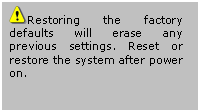
“Factory default”
Click on this link on the configuration
page to restore factory default settings. Any changes made so far will be lost
and the system will be reset to the initial factory settings. After clicking on the “Restore” button and
make confirmation, the system will restart and require the installer program to
set up the network again.
“Calibrate”
Recalibrate the home
position to the default center to recover the tolerance caused by some external
forces. This function is the same as the “Center” button on the Remote
Controller. Please note that there is no confirming message box after
clicking on the “Calibrate” button, the IT750 (IT750W/IT750W-LR) Network Camera will
calibrate immediately.
IT750 (IT750W/IT750W-LR) Network Camera provides a remote controller
to command the camera’s pan/tilt and other functions. The direction control
part provides the function as on the main web page.
The Pan/Patrol/Stop functions are also the
same as on the main web page.

“Auto Patrol” This button commands
the camera to patrol between the preset positions on the patrol list that was
set on the “Camera control page”. After each patrol cycle, the camera stops at
the original staring position. “Auto Pan” This button commands the
camera to pan from the current position to the left most or right most and
back. After panning both horizontal end positions, the camera would stop at the
original starting position.
“Center” This calibrates the
camera’s position to aim at the center as the camera boots up.
“Stop” This stops the auto movements
(auto pan & auto patrol) of the camera.
After powering up, the Network Camera
performs a self-diagnostic to detect any hardware defects. The following table
lists the LED patterns in general. In case of any fatal error, the LED will
blink in a pattern other than those below.
|
Condition |
LED color |
|
During self-diagnostic after power on |
Blink in interchanged green and red |
|
Ethernet signal is lost |
Red LED is off till Ethernet is detected |
|
Before network is setup |
Steady green till IP address is confirmed |
|
After network is setup |
Blink green every second |
|
Any hardware failure |
Other patterns |
 Reset and Restore
 At the left side of the IT750 (IT750W/IT750W-LR) Network Camera there
is a button hidden in the pinhole as shown in the picture. It is used to reset
the system or restore the factory default settings. Sometimes resetting the
system sets the system back to normal state. If the system problems remain
after reset, restore the factory settings and install again.
RESET: Poke the wrench to click on the
button.
RESTORE: 1. Poke the wrench to press on the
button continuously.
2. Wait for self-diagnostic to run twice.
3. Withdraw the wrench as soon as the
second self-diagnostic starts.
Q
What if I forget my password?
A
After the Administrator's password has been assigned, every access to the IT750 (IT750W/IT750W-LR) Network Camera needs
authentication. If you are one of the managed users, you have to ask the
Administrator for the password. If you are the Administrator, there is no way
to recover the root password except by restoring the factory default settings.
Refer to Appendix A for the procedures.
Q
Why can I not watch video from the IT750
(IT750W/IT750W-LR) Network Camera after it is authenticated?
A
There are many possible scenarios regarding this problem,
1. If you have just installed the IT750 (IT750W/IT750W-LR) Network Camera and are
unable to watch the video, check if the heartbeat LED is blinking or the lens
cap is off. If the heartbeat LED is dim, perform the software installation
again.
2. If the IT750
(IT750W/IT750W-LR) Network Camera is well installed and you are
accessing the IT750 (IT750W/IT750W-LR) Network
Camera for the first time using Internet Explorer, adjust the security level of
Internet Explorer to allow installation of plug-ins.
3. If the problem still exists after
adjusting, and the message over the image window is showing "connecting",
the network traffic may be too crowded.
4. It there is only “A” shown below the
image, check the media options in client settings containing video.
Q
What is the plug-in for?
A
The plug-in provided by the IT750
(IT750W/IT750W-LR) Network Camera is used to display motion pictures and
audio in Internet Explorer. If your system does not allow installation of any
plug-in software, the security level of the web browser may need to be lowered.
It is recommended that you consult your network supervisors in your office
regarding adjustment of the security level. Software installation may be
regulated in some offices.
Q
Why is the timestamp different from the system time of my PC or notebook?
A
The timestamp is based on the system time of the IT750 (IT750W/IT750W-LR) Network Camera. It is maintained by a
real-time clock inside and can be automatically synchronized with the
time-server if the IT750 (IT750W/IT750W-LR) Network
Camera is connected to the Internet and the function is enabled. Differences of
several hours may result from the time zone setting.
Q
Can I install it on ceiling?
A
Yes. There are flip and mirror options in video configuration page to correct
the images for upside down installation.
Q
The image is not clear enough.
A
Rotate the lens to adjust the focus after the IT750
(IT750W/IT750W-LR) Network Camera has been installed in the proper
position. The image settings and white balance can be fine tuned to achieve the
best visual effect. Also notice the power line frequency must match the local
utility to synchronize and minimize the effect of flickering florescent lights.
Q
Why does the image not refresh regularly?
A
Some anti-virus programs filter the received web content. It takes time to
perform data examination and affect the streaming application such as IT750 (IT750W/IT750W-LR) Network Camera.
However, it only affects the HTTP mode of Network Camera. If the network allows
only HTTP mode, disable the web filtering function of the anti-virus program
temporarily. During this period, the User should be aware of the risk of
malicious network activity.
Q I
have opened motion detection windows but it cannot work.
A If
the motion detection windows are set up and names are given, check to see if
the function is checked on the first line. While it is enabled, adjust the
sensitivity and percentage to monitor the level indicator for best results.
Q I
cannot hear any sound while watching.
A If
there is "V" shown below the image, check the sound card in your PC
and make sure media options in client settings containing audio. If
"AV" is shown, check the audio source of the IT750 (IT750W/IT750W-LR) Network Camera, make sure you are using
internal or external microphone.
Q
How many users are allowed to watch the IT750
(IT750W/IT750W-LR) Network Camera at the same time?
A
Too many users requesting the real-time multimedia content will jam the
network. For best results, the IT750
(IT750W/IT750W-LR) Network Camera is designed to accommodate a maximum
of ten (10) users to watch and listen for streaming video and audio at the same
time. For a larger number of users, it is recommended to build another web
server to host the retrieved contents from the IT750
(IT750W/IT750W-LR) Network Camera.
Q
How fast is the video rate of the IT750
(IT750W/IT750W-LR) Network Camera?
A
The MPEG4 codec engine can process up to 30 frames per second internally.
However the total performance is subject to many coefficients such as:
1. Network throughput,
2. Bandwidth share,
3. Number of users,
4. The complicated/detailed objects and
movement in view,
5. The power of your PC or notebook that is
responsible for displaying images.
In general, the transfer rate in a general
local network environment can achieve over 200 kilobytes per second and
approximately 10 to 20 pictures per second from a regular environment.
Q
How can I keep the IT750 (IT750W/IT750W-LR) Network
Camera as private as possible?
A
The Network Camera is designed for surveillance purposes and has many flexible
interfaces. The user authentication and special confirmation in installation
can keep the IT750 (IT750W/IT750W-LR) Network
Camera from unauthorized access. You may also change the HTTP port to a
non-public number. The demo account is good to separate guests from normal
users and thus you can easily block guests anytime. You can check the system
log to examine any abnormal activities and trace the origins.
Q
Why can I not access the IT750
(IT750W/IT750W-LR) Network Camera when I setup some options in the
application?
A
Since the Network Camera is a "network camera", any incorrect network
settings will make it inaccessible. If this happens, restore the factory
default settings following the procedures in Appendix A.
The
Network Camera with Pan/Tilt/Zoom is a network camera with high quality lens.
When it is necessary to clean the lens, please follow these instructions:
Prepare
cotton swabs and alcohol.
Moisten
the cotton swab with alcohol.
Slightly
clean the lens.
If
the lens is still dirty, repeat 2~3 steps until it is cleaned. Change a clean
cotton swab if the old one is dirty or contains dirt that might scrape the
lens.
Never
touch the lens hard or roughly.

unit tilt angle: 0.918
degree
The tile speeds of
different auto pan/tile speeds.
auto tile speed 1:
1.65 degree/sec
auto tile speed 2:
6.59 degree/sec
auto tile speed 3:
8.24 degree/sec
auto tile speed 4:
10.98 degree/sec
auto tile speed 5:
16.47 degree/sec
auto tile speed 6:
32.95 degree/sec
|
tilt speed zoom times |
-5 |
-4 |
-3 |
-2 |
-1 |
0 |
1 |
2 |
3 |
4 |
5 |
|
1~3 |
0.23 |
0.46 |
0.92 |
1.84 |
3.67 |
5.51 |
6.43 |
7.34 |
8.26 |
9.18 |
10.10 |
|
4~7 |
0.23 |
0.23 |
0.46 |
0.92 |
1.84 |
2.75 |
3.21 |
3.67 |
4.13 |
4.59 |
5.05 |
|
8~100 |
0.23 |
0.23 |
0.23 |
0.46 |
0.92 |
1.38 |
1.61 |
1.84 |
2.07 |
2.30 |
2.52 |
unit pan angle: 1.29
degree
The pan speeds of
different auto pan/tile speeds.
auto pan speed 1: 2.10
degree/sec
auto pan speed 2: 8.41
degree/sec
auto pan speed 3:
16.82 degree/sec
auto pan speed 4:
22.43 degree/sec
auto pan speed 5:
26.04 degree/sec
auto pan speed 6:
67.28 degree/sec
|
Pan speed zoom times |
-5 |
-4 |
-3 |
-2 |
-1 |
0 |
1 |
2 |
3 |
4 |
5 |
|
1~3 |
0.32 |
0.65 |
1.29 |
3.88 |
7.75 |
11.63 |
15.50 |
19.38 |
23.26 |
25.84 |
28.42 |
|
4~7 |
0.32 |
0.32 |
0.65 |
1.94 |
3.88 |
5.81 |
7.75 |
9.69 |
11.63 |
12.92 |
14.21 |
|
8~100 |
0.32 |
0.32 |
0.32 |
0.97 |
1.94 |
2.91 |
3.88 |
4.85 |
5.81 |
6.46 |
7.11 |
For some customers who already have their
own web site or web control application, the IT750
(IT750W/IT750W-LR) Network Camera can be easily integrated through
convenient URLs. This section lists the commands in URL format corresponding to
the basic functions of the Network Camera.
This section specifies the external HTTP
based application programming interface. The HTTP based camera interface
provides the functionality to request a single image, to control camera
functions (PTZ, output relay etc.) and to get and set internal parameter
values. The image and CGI-requests are handled by the built in Web server.
In URL syntax and in descriptions of CGI
parameters, a text in italic within angle brackets denotes a content that is to
be replaced with either a value or a string. When replacing the text string
also the angle brackets shall be replaced. An example of this is the
description of the name for the server, denoted with < NetworkCamera> in the URL syntax
description below, that is replaced with the string myserver in the URL syntax
example, also below.
URL syntax' are written with the “Syntax:"
word written in bold face followed by a box with the referred syntax as seen
below. The name of the server is written as <NetworkCamera>. This is
intended to be replaced with the name of the actual server. This can either be
a name, e.g., "mywebcam" or "thecam.adomain.net" or the
associated IP number for the server, e.g., 192.168.0.220.
Syntax:
|
http://<servername>/cgi-bin/video.jpg |
Description of returned data is written
with "Return:" in bold face followed by the returned data in a
box. All data returned as HTTP formatted, i.e., starting with the string HTTP
is line separated with a Carriage Return and Line Feed (CRLF) printed as \r\n.
Return:
|
HTTP/1.0 <HTTP code> <HTTP
text>\r\n |
URL syntax
examples are written with "Example:" in bold face followed by
a short description and a light grey box with the example.
Example: request a single snapshot image
CGI parameters are written in lower-case
and as one word without any underscores or other separators. When the CGI
request includes internal camera parameters, the internal parameters must be
written exactly as they are named in the camera or video server. The CGIs are
organized in function related directories under the cgi-bin directory. The file
extension of the CGI is required.
Syntax:
|
http://<NetworkCamera>/cgi-bin/<subdir>[/<subdir>...]/<cgi>.<ext> [?<parameter>=<value>[&<parameter>=<value>...]] |
Example: Setting digital output #1 to high
Note: This request require administrator access
Method: GET/POST
Syntax:
|
http://<NetworkCamera>/cgi-bin/admin/getparam.cgi?[<parameter>] [&<parameter>…] |
where the <parameter> should
be <group>[_<name>] or <group>[.<name>]
If you do not specify the any parameters, all the parameters on the server will
be returned. If you specify only <group>, the parameters of
related group will be returned.
When query parameter values, the current
parameter value are returned.
Successful control requests returns paramter
pairs as follows.
Return:
|
HTTP/1.0 200
OK\r\n Content-Type:
text/html\r\n Context-Length:
<length>\r\n \r\n <parameter
pair> |
where
<parameter pair> is
<parameter>=<value>\r\n
[<parameter
pair>]
<length>is
the actual length of content.
Example: request IP address and it’s response
|
Request: http://192.168.0.123/cgi-bin/admin/getparam.cgi?network_ipaddress Response: HTTP/1.0 200
OK\r\n Content-Type:
text/html\r\n Context-Length:
33\r\n \r\n network.ipaddress=192.168.0.123\r\n |
Note: This request require administrator access
Method: GET/POST
Syntax:
|
http://<NetworkCamera>/cgi-bin/admin/setparam.cgi?
[nosync=<value>&]<parameter>=<value> [&<parameter>=<value>…][&return=<return
page>] |
|
parameter |
value |
description |
|
nosync |
0, 1 |
Specifies that
there should be no sync (write) of the corresponding configuration file on
flash. If parameter is omitted, a sync write will occur. (note: this
parameter must be put at begin of parameter list) |
|
<group>_<name>.
|
value to
assigned |
Assign <value>
to the parameter <group>_<name>.. |
|
return |
<return
page> |
Redirect to the
page <return page> after the parameter is assigned. The <return
page> can be a full URL path or relative path according the the
current path. If you omit this parameter, it will redirect to an empty page. (note: The
return page can be a general HTML file(.htm, .html) or a server script
executable (.vspx) file. It can not be a CGI command. It can not have any
extra parameters. This parameter must be put at end of parameter list) |
Example: Set the IP address of server to
192.168.0.123
|
http://myserver/cgi-bin/admin/setparam.cgi?Network_IPAddress=192.168.0.123 |
Group: System
|
NAME |
VALUE |
DESCRIPTION |
|
hostname (r/w) |
<text string
shorter than 15 characters> |
host name of
server |
|
ledoff (r/w) |
0 |
Do not turn of
the led indicator |
|
1 |
Turn off the led
indicator |
|
|
resetdo (r/w) |
0 |
Do not turn on
automatic DO restoration |
|
1 |
Turn on
automatic DO restoration |
|
|
delayresetdo (r/w) |
1~999 |
Setup automatic
DO restoration time |
|
date (r/w) |
<yyyy/mm/dd> |
year, month and
date separated by slash. |
|
<keep> |
keep date
unchanged |
|
|
<auto> |
Using NTP to
sync date/time automatically |
|
|
time (r/w) |
<hh:mm:ss> |
hour, minute and
second separated by colon. |
|
<keep> |
keep date
unchanged |
|
|
<auto> |
Using NTP to
sync date/time automatically |
|
|
ntp (r/w) |
<domain name
or IP address> |
NTP server |
|
timezone (r/w) |
-12 ~ 12 |
time zone, 8
means GMT +8:00 |
|
updateinterval (r/w) |
0 ~ 2147483 |
0 to Disable
automatic time adjustment, otherwise, it means the seconds between NTP
automatic update interval. |
|
serialnumber (r) |
<mac
address> |
12 characters
mac address without hyphen connected |
|
firmwareversion (r) |
<text string
shorter than 39 characters> |
The version of
firmware, including model, company, and version number |
|
restore (w) |
0 |
Restore the
system parameters to default value. The value will be valid after restart the
server. |
|
restart (w)(restart) |
0 ~ 65535 |
Restart the
server after <value> seconds. |
|
do<1~4> (w) |
<state> |
H – NC connected
with COMMON |
|
L – NO connected
with COMMON |
||
|
di<1~4> (r) |
<state> |
H – NC connected
with COMMON |
|
L – NO connected
with COMMON |
||
|
supportscriptversion (r) |
<text string
shorter than 10 characers> |
The version of
supported script/webpage |
|
scriptversion |
<text string
shorter than 10 characers> |
The maximum
version of currently installed script/webpage |
Group: Security
|
NAME |
VALUE |
DESCRIPTION |
|
username_<1~10> (r/w) |
<text string
shorter than 15 characters> |
change user
name. |
|
userpass_<0~10> (r/w) |
<text string
shorter than 15 characters> |
change user’s
password. The UserPass_0
is root’s password. |
|
userattr_<1~10> (r/w) |
[dido][|talk][|listen][|camctrl][|conf] |
change user’s
privilege. The privilege can be the combination of dido – Permit
I/O access talk – Permit to
talk to server listen – Permit
to listen from server camctrl – Permit
to do camera control conf – Permit to
change server’s configuration |
|
usercount (r) |
1 ~ 11 |
The current
account number on the server including root. |
Group: Network
|
NAME |
VALUE |
DESCRIPTION |
|
resetip (r/w)(restart) |
1 |
enable to get
ipaddress, subnet, router, dns1, dns2 from DHCP server at next reboot |
|
0 |
Using preset
ipaddress, subnet, router, dns1, dns2 |
|
|
ipaddress (r/w) (restart) |
<IP
address> |
IP address of
server |
|
subnet (r/w) (restart) |
<IP
address> |
subnet mask |
|
router (r/w) (restart) |
<IP
address> |
default gateway |
|
dns1 (r/w) |
<IP
address> |
primary DNS
server |
|
dns2 (r/w) |
<IP
address> |
secondary DNS
server |
|
smtp1 (r/w) |
<domain name
or IP address> |
primary SMTP
server, max 40 characters |
|
mailto1 (r/w) |
<Recipient
email address> |
mail recipient
address, max 80 characters |
|
mailuser1 (r/w) |
<user account
name on 1st smtp server> |
mail recipient
address, max 63 characters |
|
mailpass1 (r/w) |
<user
password for mailuser1> |
mail recipient
address, max 15 characters |
|
smtp2 (r/w) |
<domain name
or IP address> |
secondary SMTP
server, max 40 characters |
|
mailto2 (r/w) |
<text string
shorter than 80 characters> |
mail recipient
address, max 80 characters |
|
mailuser2 (r/w) |
<user account
name on 2nd smtp server> |
mail recipient
address, max 63 characters |
|
mailpass2 (r/w) |
<user
password for mailuser2> |
mail recipient
address, max 15 characters |
|
returnemail (r/w) |
<text string
for return email address> |
return email
address, max 80 characters |
|
localftpport (r/w) |
<number less
than 65535> |
FTP port |
|
ftp1 (r/w) |
<domain name
or IP address> |
primary FTP
server |
|
ftpport1 (r/w) |
<number less
than 65535> |
primary FTP port |
|
ftpuser1 (r/w) |
<user account
on 1st FTP server> |
user name for
primary FTP server, max 63 characters |
|
ftppass1 (r/w) |
<password for
ftpuser1> |
password for
primary FTP server, max 15 characters |
|
ftpfolder1 (r/w) |
<target
folder on 1st FTP server> |
upload folder in
primary FTP server, max 40 characters |
|
ftppassmode1 (r/w) |
1 |
Enable passive
mode of primary FTP server |
|
0 |
Disable passive
mode of primary FTP server |
|
|
ftp2 (r/w) |
<domain name
or IP address> |
secondary FTP
server |
|
ftpport2 (r/w) |
<number less
than 65535> |
primary FTP port |
|
ftpuser2 (r/w) |
<user account
on 2nd FTP server> |
user name for
secondary FTP server, max 63 characters |
|
ftppass2 (r/w) |
<password for
ftpuser2> |
password for
secondary FTP server, max 15 characters |
|
ftpfolder2 (r/w) |
<target
folder on 2nd FTP server> |
upload folder in
secondary FTP server, max 40 characters |
|
ftppassmode2 (r/w) |
1 |
Enable passive
mode of primary FTP server |
|
0 |
Disable passive
mode of primary FTP server |
|
|
httpport (r/w) (restart) |
<number less
than 65535> |
HTTP port |
|
videoport (r/w) |
<number less
than 65535> |
video Channel
port for UDP |
|
audioport (r/w) |
<number less
than 65535> |
audio Channel
port for UDP |
Group: Wireless
(restart)
|
ssid (r/w) |
<text string
shorter than 32 characters> |
SSID for
wireless lan settings <default> |
|
wlmode (r/w) |
0 |
Infrastructure
mode |
|
1 |
Adhoc mode |
|
|
channel (r/w) |
1 ~ 11 |
Channel number
of USA and Canada <6> |
|
1 ~ 13 |
Channel number
of Euro <6> |
|
|
10 ~ 11 |
Channel number
of Spain <10> |
|
|
10 ~ 13 |
Channel number
of France <10> |
|
|
1 ~ 14 |
Channel number
of All <6> |
|
|
txrate (r/w) |
"NONE",
"1M", "2M", "5.5M", "11M",
"6M", "9M", "12M", "18M",
"24M", "36M", "48M", "54M",
"Auto" for 802.11g |
Transmit rate in
Mbps <Auto> |
|
preamble (r/w) |
Long |
Long preamble |
|
Short |
Short preamble |
|
|
encrypt (r/w) |
1 |
Enable data
encription |
|
0 |
Disable data
encription |
|
|
authmode (r/w) |
Auto |
Automatic mode |
|
Open |
Open mode |
|
|
Shared |
Shared mode |
|
|
keylength (r/w) |
(64, 128)
for 802.11g |
Key length in
bits <64> |
|
keyformat (r/w) |
HEX |
Key1 ~ Key4 will
be represented in HEX format |
|
ASCII |
Key1 ~ Key4 will
be represented in ASCII format |
|
|
keyselect (r/w) |
1 ~ 4 |
Default key
number <1> |
|
key1 (r/w) |
<text string
shorter than 58 characters> (depends on keyformat & keylength) |
WEP key1 for
encryption <0000000000> |
|
key2 (r/w) |
<text string
shorter than 58 characters> (depends on keyformat & keylength) |
WEP key2 for
encryption <0000000000> |
|
key3 (r/w) |
<text string
shorter than 58 characters> (depends on keyformat & keylength) |
WEP key3 for
encryption <0000000000> |
|
key4 (r/w) |
<text string
shorter than 58 characters> (depends on keyformat & keylength) |
WEP key4 for
encryption <0000000000> |
|
domain (r) |
‘U’ for USA ‘C’ for Canada ‘E’ for Euro ‘S’ for Spain ‘F’ for France ‘I’ for Isrel ‘A’ for All |
Wireless domain |
Group: Video
|
NAME |
VALUE |
DESCRIPTION |
|
text (r/w) |
<text string
shorter than 15 characters> |
enclosed caption |
|
codectype (r/w) (restart) |
0 |
MPEG4 |
|
1 |
MJPEG |
|
|
size (r/w) |
1 |
half |
|
2 |
half x 2 |
|
|
3 |
normal |
|
|
4 |
normal x 2 |
|
|
5 |
double |
|
|
color (r/w) |
0 |
monochrome |
|
1 |
color |
|
|
quality (r/w) |
0 |
fix bit rate |
|
1 |
fix quantization |
|
|
quant (r/w) |
1 |
lowest quality
of video |
|
2 |
lower quality of
video |
|
|
3 |
normal quality
of video |
|
|
4 |
higher quality
of video |
|
|
5 |
highest quality
of video |
|
|
bitrate (r/w) |
64000 |
set bit rate to
64K bps |
|
128000 |
set bit rate to
128K bps |
|
|
256000 |
set bit rate to
256K bps |
|
|
384000 |
set bit rate to
384K bps |
|
|
512000 |
set bit rate to
512K bps |
|
|
768000 |
set bit rate to
768K bps |
|
|
1000000 |
set bit rate to
1000K bps |
|
|
1200000 |
set bit rate to
1200K bps |
|
|
maxframe (r/w) |
1 |
set maximum
frame rate to 1 fps |
|
2 |
set maximum
frame rate to 2 fps |
|
|
3 |
set maximum
frame rate to 3 fps |
|
|
5 |
set maximum
frame rate to 5 fps |
|
|
10 |
set maximum
frame rate to 10 fps |
|
|
15 |
set maximum
frame rate to 15 fps |
|
|
20 |
set maximum
frame rate to 20 fps |
|
|
25 |
set maximum
frame rate to 25 fps |
|
|
30 |
set maximum
frame rate to 30 fps |
|
|
flip (r/w) |
1 |
flip image |
|
0 |
normal image |
|
|
mirror (r/w) |
1 |
mirror image |
|
0 |
normal image |
Group: Audio
|
NAME |
VALUE |
DESCRIPTION |
|
bitrate (r/w) |
8000 |
set bitrate to
8K bps |
|
24000 |
set bitrate to
24K bps |
|
|
32000 |
set bitrate to
32K bps |
|
|
transfermode (r/w) |
0 |
Full-duplex
(Talk & Listen simultaneously) |
|
1 |
Half-duplex
(Talk or Listen, not at the same time) |
|
|
2 |
Simplex – Talk
only |
|
|
3 |
Simplex – Listen
only |
|
|
sendclientaudio (r/w) |
0 |
Do not send
audio from active client to all other clients |
|
1 |
Send audio from
active client to all other clients (only possible in Half-duplex) |
|
|
source (r/w) |
0 |
Use external
microphone in |
|
1 |
Use build
microphone |
|
|
lowbandwidth
(r/w) |
0 |
Disable low
bandwidth environment support |
|
1 |
Improve in low
bandwidth environment |
|
|
enableaec (r/w) |
0 |
Disable |
|
1 |
|
Group: Image
|
NAME |
VALUE |
DESCRIPTION |
|
brightness (r/w) |
<-5 ~ 5> |
Adjust
brightness of image according to mode settings. |
|
saturation (r/w) |
<-5 ~ 5> |
Adjust
saturation of image according to mode settings. |
|
contrast (r/w) |
<-5 ~ 5> |
Adjust contrast
of image according to mode settings. |
|
hue (r/w) |
<-5 ~ 5> |
Adjust hue of
image according to mode settings. |
|
mode (w) |
Preview |
Apply the
parameter of image but not save |
|
Restore |
Restore the last
saved image parameters |
|
|
Save |
Directly save
the adjust image parameters |
Group: Motion
|
NAME |
VALUE |
DESCRIPTION |
|
enabled (r/w) |
0 |
disable motion
detection |
|
1 |
enable motion
detection |
|
|
win<1~3>_enabled (r/w) |
0 |
disable motion
window #1 |
|
1 |
enable motion
window #1 |
|
|
win<1~3>_name (r/w) |
<text string
shorter than 15 characters > |
name of motion
window #1 |
|
win<1~3>_left (r/w) |
0 ~ 352 for CCD 0 ~ 320 for CMOS |
Left coordinate
of window position. |
|
win<1~3>_top (r/w) |
0 ~ 288 for PAL 0 ~ 240 for NTSC & CMOS |
Top coordinate
of window position. |
|
win<1~3>_width (r/w) |
0 ~ 352 for CCD 0 ~ 320 for CMOS |
Width of motion
detection window. |
|
win<1~3>_height (r/w) |
0 ~ 288 for PAL 0 ~ 240 for NTSC & CMOS |
Height of motion
detection window. |
|
update (w) |
1 |
Update the above
motion detection settings to take effect |
Group: DDNS
|
NAME |
VALUE |
DESCRIPTION |
|
enable (r/w) |
0, 1 |
Enable or
disable the dynamic dns. |
|
provider (r/w) |
1 ~ 4 |
dyndns.org
(dynamic) dyndns.org
(custom) tzo.com dhs.org |
|
hostname (r/w) |
Text string
shorter than 63 characters. |
Your dynamic
hostname. |
|
usernameemail (r/w) |
Text string
shorter than 63 characters. |
Your user or
email to login ddns service provider |
|
passwordkey (r/w) |
Text string
shorter than 63 characters. |
Your password or
key to login ddns service provider |
|
update (w) |
0, 1 |
Update the above
ddns settings to take effect |
Group: UPNP
|
NAME |
VALUE |
DESCRIPTION |
|
enable (r/w) |
0, 1 |
Enable or
disable the UPNP service. |
Group: CAMCTRL
|
NAME |
VALUE |
DESCRIPTION |
|
panspeed (r/w) |
-5 ~ 5 |
Pan speed |
|
tiltspeed (r/w) |
-5 ~ 5 |
Tilt speed |
|
zoomspeed (r/w) |
-5 ~ 5 |
Zoom speed |
|
autospeed (r/w) |
-5 ~ 5 |
Auto pan speed |
|
dwelling (r/w) |
0 ~ 9999 |
Time to dwelling
when patrol |
|
enableir (r/w) |
0, 1 |
Enable or
disable the IR control |
|
presetname_<0~9> (r/w) |
Text string
shorter than 30 characters. |
The name of
preset location |
|
presetpan_<0~9> (r/w) |
-127 ~ 127 |
The pan
coordinate of preset location. |
|
presettilt_<0~9> (r/w) |
-127 ~ 127 |
The tilt
coordinate of preset location. |
|
patrolname_<0~19> (r/w) |
Text string
shorter than 30 characters. |
The name of
patrol location |
Group: CCD
|
NAME |
VALUE |
DESCRIPTION |
|
mode (r/w) |
save |
Only specified “mode=save” can make the parameters
changed to desired values. |
|
autoiris (r/w) |
0 or 1 |
set 1 to enable auto iris, set 0 to disable auto
iris |
|
irislevel (r/w) |
0~8 |
Set iris size, set bigger value to set bigger iris
size |
|
autoelectronicshutter (r/w) |
0~7 |
Set electronica shutter speed. set 0 for auto
shutter, set 1 for fixed at 1/60 (1/50). Bigger value, faster shutter. |
|
ccd_whitebalancemode (r/w) |
0~1 |
0: auto tracking white balance 1: white balance control |
|
ccd_autotrackingwhitebalance (r/w) |
0~8 |
Adjust colors by setting different levels. Set
ccd_whitebalancemode to 0 before setting this parameter. |
|
ccd_whitebalancecontrol (r/w) |
0~8 |
Set different levels to meet different color
temperatures (3200K~9600K). Set whitebalancemode
to 1 before setting this parameter. |
|
lowluxmode (r/w) |
0 or 1 |
Turn off or on low lux mode |
|
obwlowluxmode (r/w) |
0 or 1 |
Turn off or on black/white video in low lux mode |
|
enableblc (r/w) |
0 or 1 |
Disable or enable back light compensation. |
|
blcsenslevel (r/w) |
0~7 |
Set back light compensation level |
|
blcarea(0) (r/w) |
0~255 |
First row in BLC area. 0 to indicate disabling all
sub windows. 255 to indicate enabling all sub windows. |
|
blcarea(1) (r/w) |
0~255 |
Second row in BLC area. |
|
blcarea(2) (r/w) |
0~255 |
Third row in BLC area. |
|
blcarea(3) (r/w) |
0~255 |
Fourth row in BLC area. |
|
blcarea(4) (r/w) |
0~255 |
Fifth row in BLC area. |
|
blcarea(5) (r/w) |
0~255 |
Sixth row in BLC area. |
Note: This request requires the privilege of I/O access
control.
Method: GET/POST
Syntax:
|
http://<NetworkCamera>/cgi-bin/setdo.cgi?do1=<state>[&do2=<state>] [&do3=<state>][&do4=<state>][&return=<return
page>] |
Where state is H, L. H means NC (normal
close) connected with COMMON and L means NO (normal open) connected with
COMMON. The number of DO dependents on the server type.
|
parameter |
Value |
description |
|
do<num> |
<state> |
H – NC connected with COMMON |
|
L – NO connected with COMMON |
||
|
return |
<return page> |
Redirect to the page <return
page> after the parameter is assigned. The <return
page> can be a full URL path or relative path according the the
current path. If you omit this parameter, it will redirect to an empty page. |
Example: Drive the digital output 1 to high and redirect to an
empty page
Note: This request requires the privilege of I/O access
control.
Method: GET/POST
Syntax:
|
http://<NetworkCamera>/cgi-bin/getdi.cgi?[di1][&di2][&di3][&di4] |
If no parameter is specified, all the
status of digital input will be returned.
Return:
|
HTTP/1.0 200 OK\r\n Content-Type: image/jpeg\r\n Content-Length: <length>\r\n \r\n [di1=<state>]\r\n [di2=<state>]\r\n [di3=<state>]\r\n [di4=<state>]\r\n |
where <state>
can be H or L.
Example: Query the
status of digital input 1
|
Request: http:// <NetworkCamera>/cgi-bin/getdi.cgi?di1 Response: HTTP/1.0 200
OK\r\n Content-Type:
image/jpeg\r\n Content-Length:
7\r\n \r\n di1=H\r\n |
Note: This request require normal user privilege
Method: GET/POST
Syntax:
|
http://<servername>/cgi-bin/video.jpg |
Server will return
the most up-to-date snapshot in JPEG format. The size and quality of image will
be set according to the JPEG settings on the server.
Return:
|
HTTP/1.0 200
OK\r\n Content-Type:
image/jpeg\r\n [Content-Length:
<image size>\r\n] <binary JPEG
image data> |
Note: This request requires administrator
privilege
Method: GET/POST
Syntax:
|
http://<servername>/cgi-bin/admin/editaccount.cgi? method=<value>&user=<name>[&pass=<value>][&privilege=<value>] [&privilege=<value>][…][&return=<return
page>] |
|
parameter |
value |
description |
|
method |
add |
Add an account
to server. When using this method, “username” field is necessary. It will use
default value of other fields if not specified. |
|
delete |
Remove an
account from server. When using this method, “username” field is necessary,
and others are ignored. |
|
|
edit |
Modify the
account password and privilege. When using this method, “username” field is
necessary, and other fields are optional. If not specified, it will keep
original settings. |
|
|
username |
<name> |
The name of user
to add, delete or edit |
|
userpass |
<value> |
The password of
new user to add or that of old user to modify. The default value is an empty
string. |
|
privilege |
<value> |
The privilege of
user to add or to modify. The privilege can be the addition of the following
values. Ex: A user with DI/DO access and listen privilege can be assigned
privilege as privilege=dido&privilege=listen. |
|
dido |
DI/DO access
privilege |
|
|
listen |
listen privilege |
|
|
talk |
talk privilege |
|
|
camctrl |
camera control
privilege (support only on PT(Z) version) |
|
|
conf |
configuration
privilege |
|
|
return |
<return
page> |
Redirect to the
page <return page> after the parameter is assigned. The <return
page> can be a full URL path or relative path according the the
current path. If you omit this parameter, it will redirect to an empty page. |
Note: This request require administrator
privilege
Method: GET/POST
Syntax:
|
http://<servername>/cgi-bin/admin/syslog.cgi |
Server will return
the up-to-date system log.
Return:
|
HTTP/1.0 200
OK\r\n Content-Type:
text/plain\r\n Content-Length:
<syslog length>\r\n \r\n <system log
information>\r\n |
Note: This request requires administrator
privilege
Method: GET/POST
Syntax:
|
http://<servername>/cgi-bin/admin/configfile.cgi |
Server will return
the up-to-date configuration file.
Return:
|
HTTP/1.0 200
OK\r\n Content-Type:
text/plain\r\n Content-Length:
<configuration file length>\r\n \r\n <configuration
data>\r\n |
Note: This request requires administrator
privilege
Method: POST
Syntax:
|
http://<servername>/cgi-bin/admin/upload.cgi |
Post data:
|
file=<file
name>[&return=<return page>]\r\n \r\n <multipart
encoded form data> |
Server will accept
the upload file named <file name> to be stored on the flash as
“flash.bin” and return with <return page> if indicated.
Note: This request requires camera control access
privilege
Method: GET/POST
Syntax:
|
http://<servername>/cgi-bin/camctrl.cgi?[move=<value>][&focus=<value>]
[&iris=<value>][&speedpan=<value>][&speedtilt=<value>][&speedzoom=<value>]
[&speedapp=<value>][&auto=<value>][&zoom=<value>][&return=<return
page>] |
|
parameter |
value |
description |
|
move |
home |
Move to camera
to home position |
|
up |
Move camera up |
|
|
down |
Move camera down |
|
|
left |
Move camera left |
|
|
right |
Move camera
right |
|
|
speedpan |
-5 ~ 5 |
Set the pan
speed |
|
speedtilt |
-5 ~ 5 |
Set the tilt
speed |
|
speedzoom |
-5 ~ 5 |
Set the zoom
speed |
|
speedapp |
-5 ~ 5 |
Set the auto
pan/patrol speed |
|
auto |
pan |
Auto pan |
|
patrol |
Auto patrol |
|
|
stop |
Stop camera |
|
|
zoom |
wide |
To zoom for
larger view with current speed |
|
tele |
To zoom for
farer view with current speed |
|
|
focus |
auto |
To do auto focus |
|
far |
To focus on
farer distance |
|
|
stop |
To focus on
nearer distance |
|
|
iris |
auto |
Let the Network
Camera control iris size |
|
open |
Manually control
the iris for bigger size |
|
|
stop |
Manually control
the iris for smaller size |
|
|
return |
<return
page> |
Redirect to the
page <return page> after the parameter is assigned. The <return
page> can be a full URL path or relative path according to the current
path. If you omit this parameter, it will redirect to an empty page. |
Note: This request requires camera control
access privilege
Method: GET
Syntax:
|
http://<servername>/cgi-bin/recall.cgi? recall=<value>[&return=<return
page>] |
|
parameter |
value |
description |
|
recall |
Text string less
than 30 characters |
One of the
present positions to recall. |
|
return |
<return page> |
Redirect to the
page <return page> after the parameter is assigned. The <return
page> can be a full URL path or relative path according to the current
path. If you omit this parameter, it will redirect to an empty page. |
Note: This request requires normal user
privilege
Method: GET/POST
Syntax:
|
http://<NetworkCamera>/cgi-bin/sysinfo.cgi |
Server will return
the system information.
Return:
|
HTTP/1.0 200
OK\r\n Content-Type:
text/plain\r\n Content-Length:
<system information length>\r\n \r\n Model=<model
name of server>\r\n HostName=<host
name of server>\r\n Location=<video
on text of server>\r\n [Preset<0>=<first
preset location>\r\n] [Preset<1>=<second
preset location>\r\n] [...] PTZEnabled=<PTZ
status>\r\n |
Where the <PTZ
status> is a 32-bits integer, each bit can be set separately as follows:
Bit 0 =>Support camera control
function 0(not support), 1(support)
Bit 1 => Build-in or external
camera. 0(external), 1(build-in)
Bit 2 => Support pan
operation. 0(not support), 1(support)
Bit 3 => Support tilt
operation. 0(not support), 1(support)
Bit 4 => Support zoom
operation. 0(not support), 1(support)
Bit 5 => Support focus
operation. 0(not support), 1(support)
Note: This request requires administrator access
privilege
Method: GET/POST
Syntax:
|
http://< NetworkCamera>/cgi-bin/admin/preset.cgi? [addpos=<value>][&delpos=<value>][&return=<return
page>] |
|
parameter |
value |
description |
|
addpos |
<Text string
less than 30 characters> |
Add one preset
location to preset list. |
|
delpos |
<Text string
less than 30 characters> |
Delete preset
location from preset list. |
|
return |
<return
page> |
Redirect to the
page <return page> after the parameter is assigned. The <return
page> can be a full URL path or relative path according to the current
path. If you omit this parameter, it will redirect to an empty page. |
- System
CPU: Trimedia
PNX1300
RAM: 16MB SDRAM
ROM: 4MB FLASH ROM
- Networking
Protocol
TCP/IP,
HTTP, SMTP, FTP, Telnet, NTP, DNS UPnP, DDNS. DHCP and RTSP
Physical
10BaseT
Ethernet or 100BaseT Fast Ethernet
WLAN (IT750W and IT750W-LR Wireles Models
Only)
2.4GHz
802.11g/b
54/48/36/24/18/12/9/6/11/5.5/2/1Mbps
Coverage:
54Mbps:64m,
48Mbps:70m,
36Mbps:80m,
24/18/12/9/6Mbps:120m,
11Mbps:80m,
5.5Mbps:120m
2Mbps:200m,
1Mbps:300m
- Video
Algorithm supported
MPEG4
SP
MJPEG
Features
Adjustable
image size, quality and bit rate
Timestamp
and text overlay
3
motion detection windows
Resolution
Up
to 30/25 frames at 176x120 or 176x144
Up
to 30/25 frames at 352x240 or 352x288
Up
to 15/12 frames at 704x480 or 704x576
- Camera specification
1/4
inch color CCD sensor
Typical:
1.5 Lux / F1.8
Low
lux mode: 0.05 Lux/F1.8
AGC,
AWB
Electronic
shutter: 1/60(1/50) to 1/120,000 sec
Pixel
Numbers: NTSC - 542(H)x496(V) or PAL - 542(H)x586(V)
- Lens
Focal
length 4.2~42mm
Aperture
F1.8~2.9
10X
optical zoom
10X
digital zoom
- Audio
32Kbps,
24Kbps, 8Kbps
Acoustic
echo cancellation
Full
duplex audio communication
- Microphone
Omni-directional
Frequency:
20 – 20,000Hz
S/N
ratio: more than 58dB
- General I/O
1 sensor input(max. 12VDC 50mA)
1
relay output(max. 24VDC 1A, 125VAC 0.5A)
- LED indicator
Dual
color system status indicator
- Weight
NET.
About 5Kg
- Dimension
200mm(D) * 318.5mm(W) * 330mm(H)
- Power
Consumption: Near 25
W with Heater ON
Universal
switching power-supply included
Adapter input:
100-240VAC, 50/60Hz, 0.4A
Adapter output:
12VDC, 1.5A
- Operating Environment
Temperature: 0-40°C/32-104°F
Humidity: 85%RH
-EMI & Safety
CE, FCC
- Viewing system requirement
Operating
System
Microsoft
Windows 98SE/ME/2000/XP
Browser
Internet
Explorer 5.x or above
Electromagnetic Compatibility (EMC)
This device compiles with FCC Rules Part
15. Operation is subject to the following two conditions.
This device may not cause harmful
interference, and
This device must accept any interference
received, including interference that may cause undesired operation.
USA - This equipment has been tested and found to
comply with the limits for a Class B digital device, pursuant to Part 15 of the
FCC Rules. These limits are designed to provide reasonable protection against
harmful interference in a residential installation. This equipment generates,
uses and can radiate radio frequency energy and, if not installed and used in
accordance with the instructions, may cause harmful interference to radio
communications. However, there is no guarantee that interference will not occur
in a partial installation. If this equipment does cause harmful interference to
radio or television reception, which can be determined by turning the equipment
off and on, the user is encouraged to try to correct the interference by one or
more of the following measures:
-- Reorient or relocate the receiving
antenna.
-- Increase the seperation between the
equipment and receiver.
-- Connect the equipment into an outlet on
a circuit different from that to which the receiver is connected.
-- Consult the dealer or an experienced
radio/TV technician for help.
Shielded interface cables must be used in
order to comply with emission limits.
Europe  - This digital equipment fulfills the requirement for radiated emission
according to limit B of EN55022/1998, and the requirement for immunity
according to EN50082-1/1992.
- This digital equipment fulfills the requirement for radiated emission
according to limit B of EN55022/1998, and the requirement for immunity
according to EN50082-1/1992.
Liability
Intellisystem Technologies S.r.l. cannot be held responsible for any
technical or typographical errors and reserves the right to make changes to the
product and manuals without prior notice. Intellisystem Technologies S.r.l.
makes no warranty of any kind with regard to the material contained within this
document, including, but not limited to, the implied warranties of
merchantability and fitness for a particular purpose. All other company names
and products are trademark or registered trademarks of their respective
companies.
For any question and support please contact:
Intellisystem Technologies S.r.l.
Support: [email protected] Web Site: http://www.intellisystem.it


